Keeping your SSD usage under control in Xano is crucial for maintaining performance and avoiding unnecessary costs. Let's explore three ways to clean up your SSD:
1. Delete the Request History
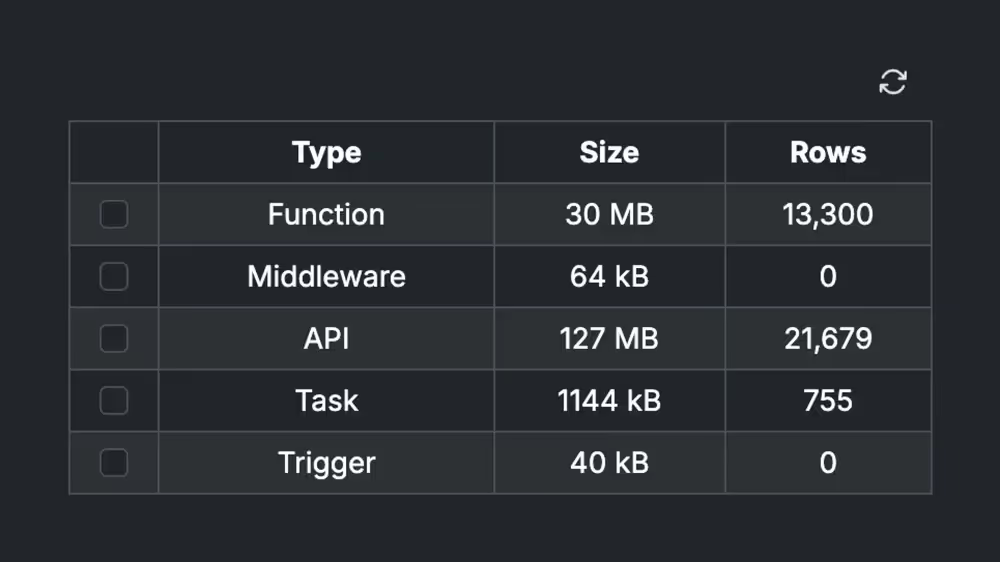
Xano automatically stores the requests received by each API. You can manage this in Instance Settings → Maintenance → Database Storage.
Here, you can identify the parts occupying the most space and free up your SSD.
2. Disable the Request History
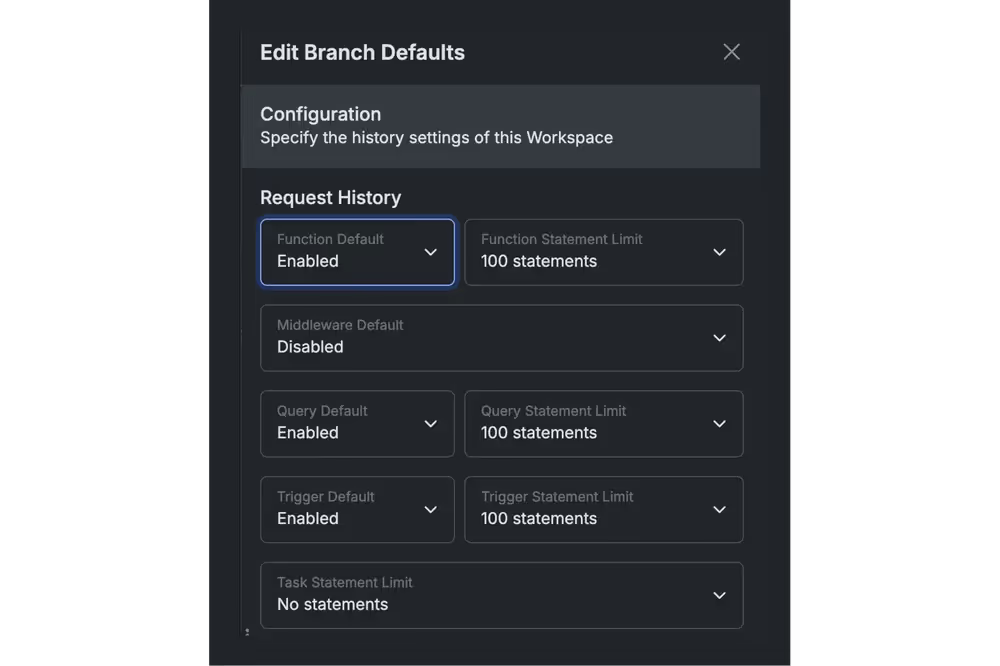
In the Workspace Settings, you can configure where the request history is stored.
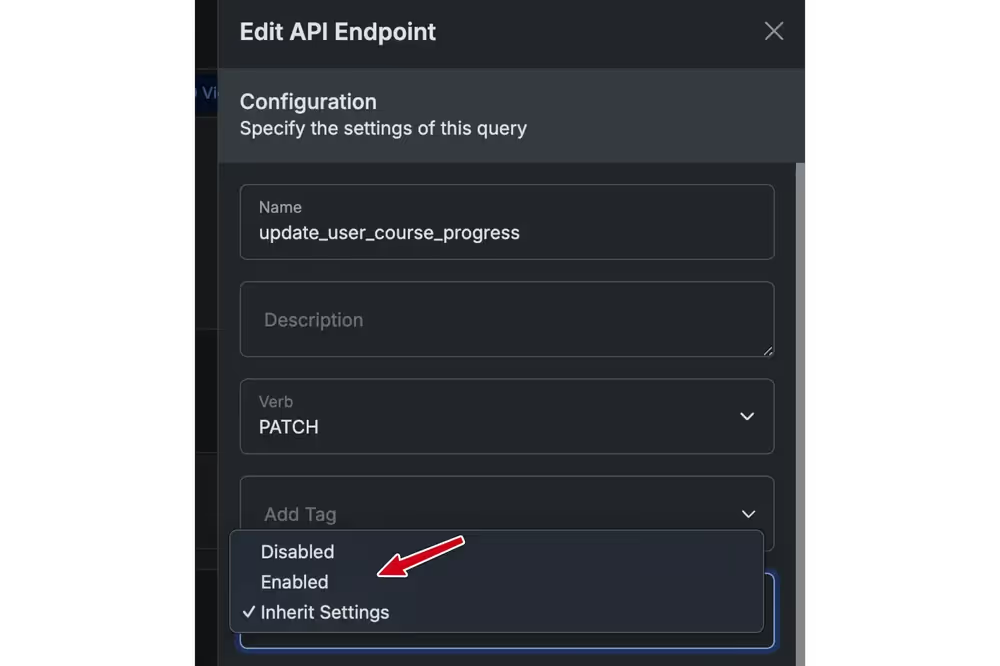
Alternatively, in the settings of a specific API, you can enable or disable the request history. If you don't need to monitor a particular API, you can disable it and re-enable it later if issues arise and you need to debug the API.
3. Rows Inside Tables
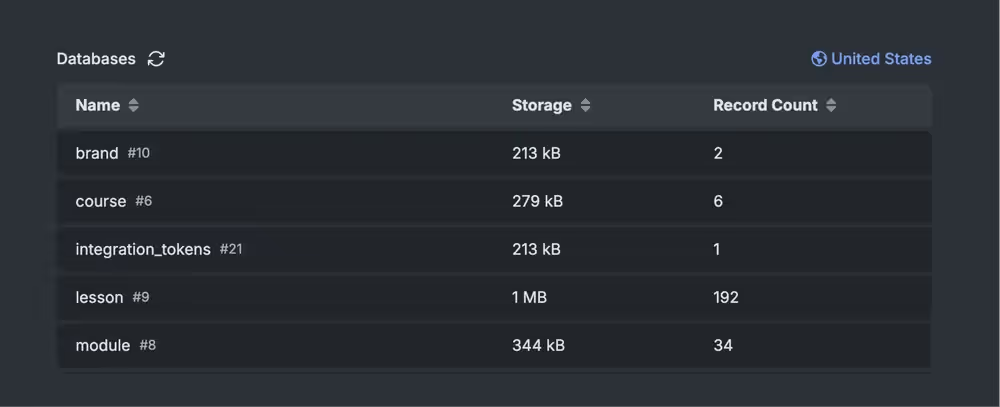
Clean up records in tables that are no longer needed. However, as Xano's official documentation explains, deleting a record doesn't immediately free up space due to how Xano internally manages storage.
Results
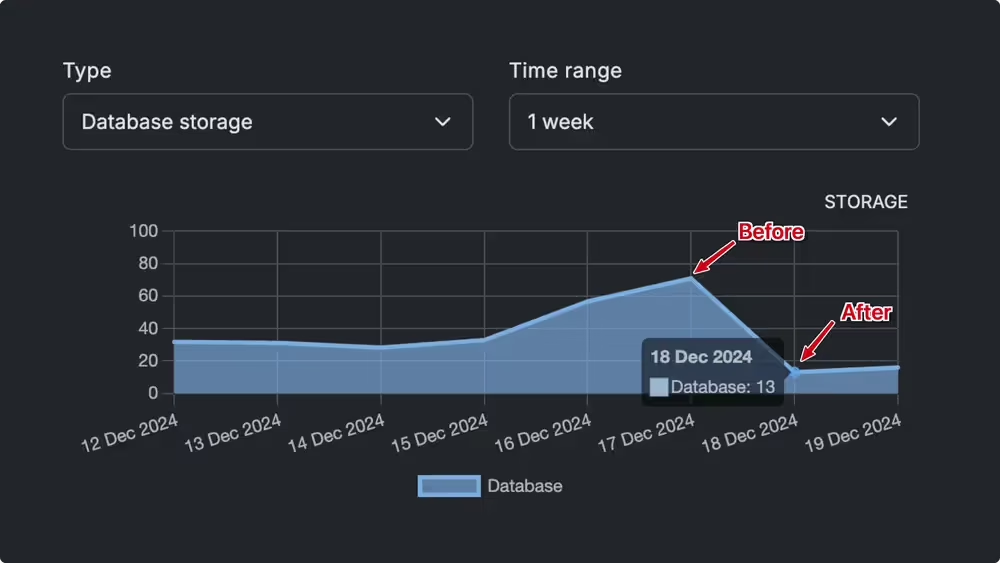
After applying these strategies, I was able to free up 10GB of SSD space in my Xano instance.